Ever had an artist send over an insane vocal take, only to zoom in and see the waveform completely pinned in the red? Nothing kills the creative vibe faster than harsh digital distortion crackling across an otherwise legendary performance.
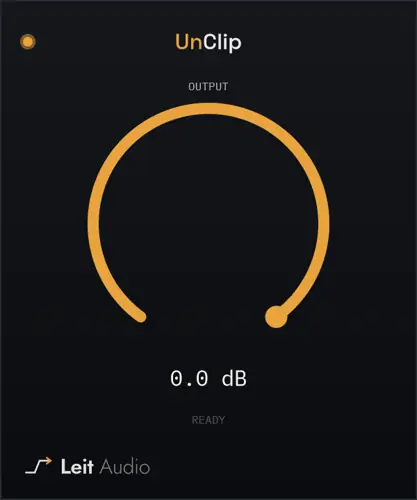
Trying to salvage flatlined peaks with traditional EQ or compression just smears that nasty grit deeper into the track. That is where UnClip steps in to save the session – it works like an audio time machine, instantly reconstructing chopped-off transients so your audio sits in the mix with clean, natural punch.
Why UnClip is a Game-Changer for Your Mix & Workflow
- Zero-Fuss Workflow: Forget dialing in finicky threshold knobs or ratio settings – just slap it on the channel, and the algorithm automatically hunts down flat-topped overloads.
- Smart Sub-0 dBFS Detection: Even if someone clipped the audio and then turned the fader down later, it identifies the geometric shape of the flatlined peak instead of relying on basic 0 dBFS ceiling readings.
- Surgical Reconstruction: It only alters the exact samples that were obliterated by clipping, pulling clean data from adjacent samples to rebuild a silky-smooth curve while leaving the rest of your signal untouched.
- Immediate Gain Staging Control: When those recovered peaks jump back to life, the built-in output trim pulls the signal down by up to 24 dB so you have clean headroom before feeding your favorite EQs, saturation boxes, or master bus.
⚡ Pro Producer Tip: Clean Before You Color
Always park UnClip at slot #1 on your insert chain. If you place an EQ, tape sim, or compressor ahead of it, those plugins will round off the sharp edges of the digital flatlines – disguising the damage and making it much harder for UnClip to detect and rebuild the missing peaks.
Tech Specs (Keep it Light)
- File Size: Featherweight 11 MB download
- Platforms: Windows, macOS, Linux
- Processing: Intelligent sample-level interpolation
- Gain Staging: Up to -24 dB variable output trim
The Verdict
We have all received drum stems or recorded live takes where someone pushed the preamp a little too hot on the way in. UnClip is one of those clutch utility tools every producer needs parked in their toolbox. It does one job, does it completely transparently, and demands zero CPU overhead. If you want pristine headroom and punchy transients without losing hours to manual waveform drawing, this freebie slaps.
How to repair hard-clipped peaks after recording


UnClip.1.0.0 ( 11 MB )
📥 Want instant updates on new free VSTs? Join our Telegram Channel!
Let me know in the comments how this sits in your latest project! Have you ever had to scrap an insane vocal or snare track because of digital clipping? Let’s talk shop below! 👇

We’re audio producers and sound designers with over 20 years of experience in the industry. Our team has lived through the entire evolution of digital audio production.
Our mission? To filter out the junk and bring you only the studio-ready free VSTs that actually compete with paid gear. We do the digging so you can focus on creating.