Ever export a massive, wide-sounding mix only to play it in the car and realize half your instruments just vanished? Phase cancellation is the silent killer of a fat mix. If you’re tired of guessing whether your 808s and synths are actually sitting right in the stereo field, I found a definitive fix.
When you’re trying to get your tracks to slap everywhere – from AirPods to big club rigs – you can’t just trust your ears in an untreated room. You need to actually see what your audio is doing. Enter the PSP stereoAnalyser2.
It’s a completely free, high-tier metering plug-in that gives you x-ray vision into the stereo image and level structure of your dual-channel signals. Whether you are tracking, mixing, or putting the final mastering polish on a beat, this tool makes sure your headroom and width are locked in.
Why PSP stereoAnalyser2 is a Game-Changer for Your Mix & Workflow
Stop flying blind. Here is how this plugin is going to level up your sessions:
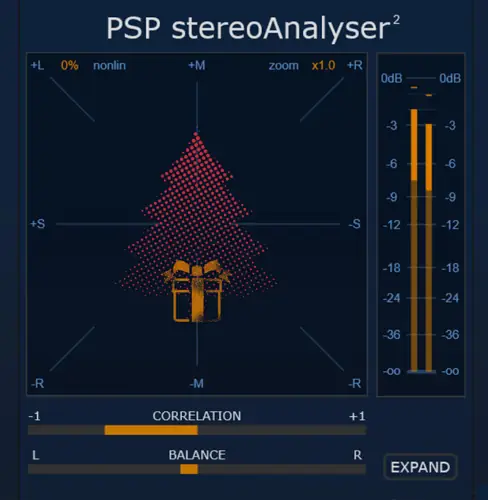
- See exactly where your sounds sit: The ultra-responsive Goniometer (X-Y scope) gives you a real-time visual on your stereo width, phase, and polarity. You’ll know instantly if a sound is too wide.
- Bulletproof your mono compatibility: The Correlation meter is a lifesaver. It makes sure your track translates perfectly to phones and Bluetooth speakers without phase cancellation eating your lead vocals or synths.
- Dial in perfect headroom: Crisp Digital Peak and RMS meters give you the precise level monitoring you need to prevent nasty digital clipping.
- Nail your L/R energy: The Balance meter instantly snitches on your mix if it’s leaning too hard to the left or right, keeping your core groove centered.
- Surgical frequency focus: The adjustable frequency-limited monitoring lets you solo specific frequency bands (high-pass/low-pass) so you can analyze just the bass or just the airy highs.
⚡ Pro Producer Tip: Lock In Your Low-End Phase
Use the frequency-limited monitoring feature to filter out the highs and only look at everything below 150Hz. Keep your eyes on the correlation meter—if it dips into the negative, your 808 or kick is clashing in the stereo field. Keep that low-end dead center (mono) so your track retains its punch and actually hits hard on venue subs!
Tech Specs (Keep it Light)
- OS Compatibility: Windows & Mac ready.
- Footprint: Super lightweight at just 25/50 MB. Won’t hog your CPU.
- Processing: Premium 64-bit internal processing supporting sample rates all the way up to a massive 384 kHz.
- Workflow Perks: Fully resizable GUI (great for big monitors), a slick preset browser, A/B comparison for quick referencing, and a handy undo/redo system.
The Verdict
Visual metering isn’t the sexiest part of music production, but it is 100% the difference between an amateur beat and an industry-ready mix. PSP stereoAnalyser2 takes the guesswork out of your stereo field, ensuring your width, levels, and phase are sitting perfectly in the pocket. Best of all? It costs you absolutely zero dollars. Grab it, drop it on your master bus, and watch your mixes clean up instantly.


PSP.stereoAnalyser2.2.0.2.WIN ( 25 MB )
PSP.stereoAnalyser2.2.0.2.MAC ( 50 MB )
📥 Want instant updates on new free VSTs? Join our Telegram Channel!
Let me know in the comments how this sits in your latest project! Are you actively checking your mixes in mono, or just trusting your ears in wide stereo? Let’s talk shop below! 👇

We’re audio producers and sound designers with over 20 years of experience in the industry. Our team has lived through the entire evolution of digital audio production.
Our mission? To filter out the junk and bring you only the studio-ready free VSTs that actually compete with paid gear. We do the digging so you can focus on creating.

