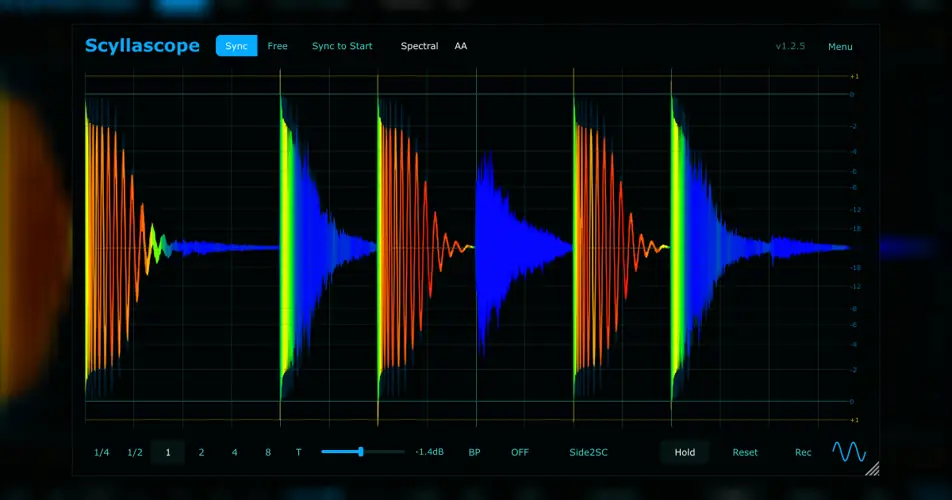
Tired of guessing if your kick and sub bass are clashing and muddying up your low end? Or maybe you’ve been pulling your hair out trying to visually monitor waveforms, only to have Ableton Live’s notorious plugin delay compensation (PDC) completely ruin the visual timing? I found a fix, and honestly, it slaps.
As producers, we’ve all been there: you’re tweaking your sidechain compressor, but your ears are fatigued and you just want to see the ducking happen to make sure the groove is sitting right in the pocket.
Mixing blind can drain your vibe. Enter Scyllascope – a completely free visual utility that not only solves those annoying latency headaches but actually acts as a ridiculously dope creative sampler, too.
Why Scyllascope is a Game-Changer for Your Mix & Workflow
This isn’t just another boring metering tool. Scyllascope brings serious utility to the studio that helps your tracks sit in the mix with way less effort. Here’s why this thing needs to be in your default template:
- God-Tier Inter-Instance Routing: Load it on multiple tracks to overlay and sum your signals. You can finally see exactly how your kick and 808 interact in real-time.
- The Ableton Live PDC Fix: The exclusive “Sync to start” mode totally bypasses Ableton’s plugin delay compensation visual bugs, keeping your waveform timing dead accurate.
- Built-in Audio Recorder: This is crazy for a free visualizer. You can record the audio directly inside the plugin, normalize it, trim it, snap it to the grid, and literally drag & drop it straight back into your DAW timeline as a fresh audio file!
- Headroom & Clipping Protection: A dedicated headroom display with a clipping indicator ensures your gain staging stays pristine before hitting your master bus.
- Visual Low-End Control: It features visual frequency filtering and a spectral waveform display, letting you isolate the low-end visually without the high frequencies cluttering the screen.
- Silky Navigation & Customization: Features smooth zoom/pan navigation, Sync/Free/Scroll modes, customizable color themes, a scalable GUI, and tight embedded integration if you’re a Reaper user.
⚡ Pro Producer Tip: Perfecting the Kick & Sub Relationship
Load an instance of Scyllascope on your kick track and another on your sub bass track. Use the multi-instance overlay to stack them on the same screen. Now, hit the “Hold” function to freeze the waveform. You can visually dial in your sidechain compressor’s attack and release until your sub perfectly hugs the tail of the kick without any messy overlap. Boom. Instant punch and a crystal clear low end.
Tech Specs (Keep it Light)
- Compatibility: WiN, MAC, LiNUX (Runs smooth on everything!)
- File Size: Super lightweight at just 27.5 MB
- DAW Integration: Advanced config via overrides.json and special embedded integration for Reaper users.
The Verdict
Scyllascope is an absolute must-have. Whether you’re obsessing over microscopic sidechain timings, trying to protect your headroom, or you just want a quick way to sample and drag audio back into your arrangement, this plugin punches way above its zero-dollar price tag.
The fact that it straight up fixes the Ableton PDC visual issue alone makes it worth the download. Grab it, drop it on your mix bus, and watch your workflow speed up.


Scyllascope.1.3.0 ( 28 MB )
📥 Want instant updates on new free VSTs? Join our Telegram Channel!
Let me know in the comments how this sits in your latest project! Are you using it more for visual sidechain mixing or for the drag-and-drop recording feature? Let’s talk shop below! 👇

We’re audio producers and sound designers with over 20 years of experience in the industry. Our team has lived through the entire evolution of digital audio production.
Our mission? To filter out the junk and bring you only the studio-ready free VSTs that actually compete with paid gear. We do the digging so you can focus on creating.
