Sound of Music
22 MB
A plugin that sucks the life out of audio signal
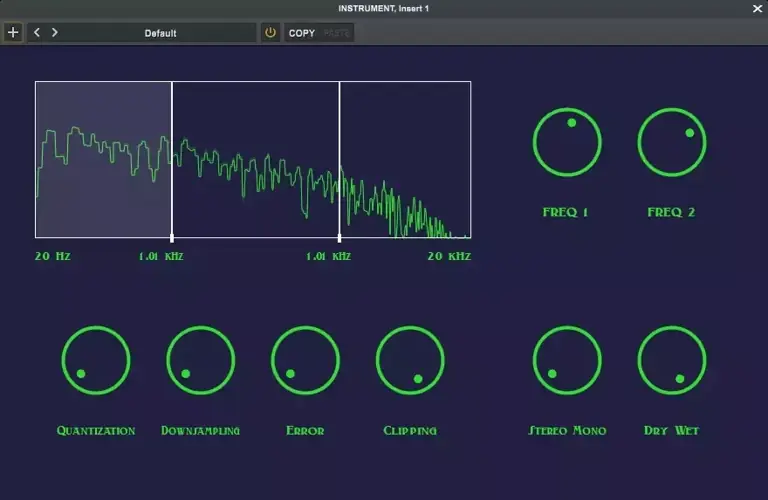
Sound of Music is a multiband bit crusher plugin with three bands, allowing detailed audio control and manipulation.
Installation
VST3 Installation (Windows)
Download the Plugin: Download Sound.of.music.vst3 from releases.
Install the Plugin:
Copy the file into your DAW’s plugin directory.
Rescan Plugins: Follow your DAW’s instructions to rescan plugins or manually add the plugin if necessary.
Usage
Insert Plugin: Load Sound of music plugin into your preferred digital audio workstation (DAW).
Adjust Frequency Bands:
freq1 Slider: Set the boundary between low and mid bands.
freq2 Slider: Set the boundary between mid and high bands.
Select and Adjust Effects:
Select and highlight the active band.
Adjust the following parameters for the selected band:
Downsample: Controls the sample rate,introducing aliasing.
Quantization: Controls the bit depth.
Error: Adds random fluctuation to the signal.
Clip: Controls the threshold level for clipping.
Stereo/Mono and Mix Controls:
Stereo Mono: Controls the stereo width.
Dry Wet: Controls the balance between the dry signal and wet signal.
https://github.com/enter-opy/sound-of-music


SoundofMusic101 ( 22 MB )

