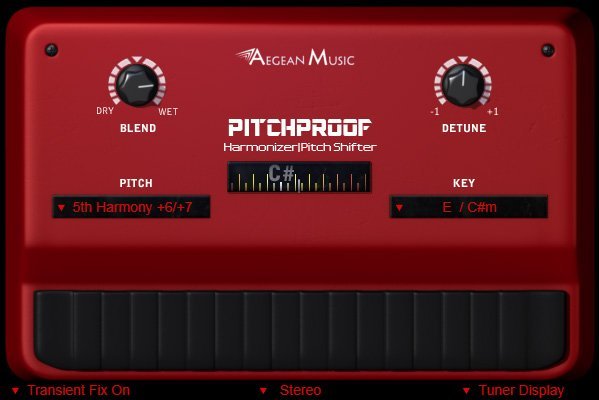
Pitchproof
size 0.71 MB / 0.74 MB / 2.50 MB
Pitchproof can shift the pitch of the input. The effect is meant to combine old styles of pitch shifting with the quality you expect from modern plug-ins.
The result is this pitch pedal simulation that has most of what is great about guitar harmonizer pedals, and still preserves the signal’s integrity.
The Blend control will let you use a fully shifted output, or the dry and wet signals mixed (a harmony). The Pitch menu lets you select pitches like +7 or -7, or harmonies which are intelligent pitch shift effects. These harmonizer effects are intended to be played in a certain major or minor scale. So selecting C (major that is) scale for Key, which doubles as Am (A minor), means you should play only the notes A, B, C, D, E, F, and G for the most harmonized results. Key is not important for non-harmony settings. Detune is good for getting a more natural effect, only a little is needed (a little up or down from the center position).
On the bottom there are some other options. You can choose mono, for lower CPU usage, or stereo for stereo inputs. Transient Fix can be on or off, on is recommended but if you have strange glitches you may try turning it off. If you have a strong attack to your input it will clearly preserve that better, but if you have a fade in to notes, like a pad it won’t have a noticeable effect.
It’s got a guitar tuner! That’s right, since it detects pitch anyway we decided to display it as a tuner and it can be made stationary in the bottom right if it is an eyesore.
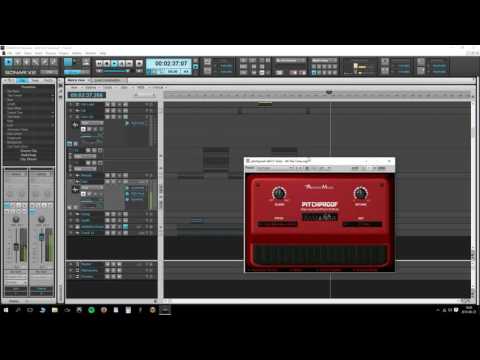


pitchproof ( 0.71 MB )
pitchproof-x64 ( 0.74 MB )
📥 Want instant updates on new free VSTs? Join our Telegram Channel!
pitchproof-vst-au-mac ( 2.50 MB )

We’re audio producers and sound designers with over 20 years of experience in the industry. Our team has lived through the entire evolution of digital audio production.
Our mission? To filter out the junk and bring you only the studio-ready free VSTs that actually compete with paid gear. We do the digging so you can focus on creating.

