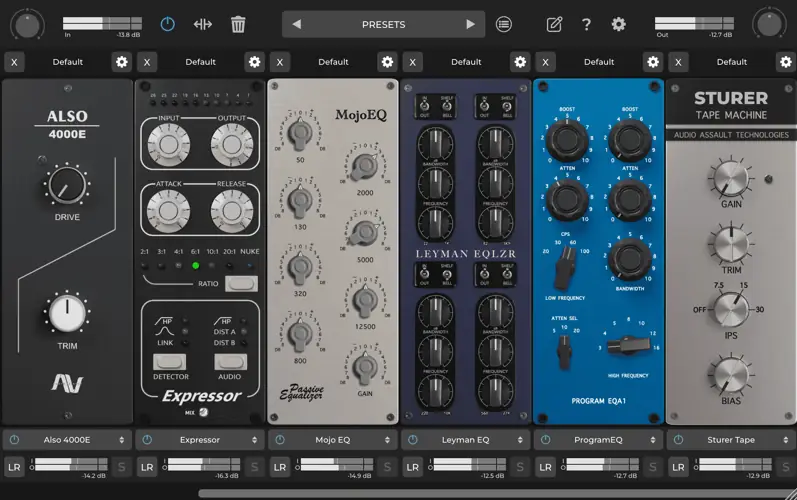
What’s good fam? Let’s talk real for a second. You ever find yourself opening like, ten different plugins just to get one vocal track to sit right? An EQ from one company, a compressor from another, a stereo widener from a third… next thing you know, your CPU is screaming and your workflow is a total mess. It’s a vibe-killer. That’s why when I find a tool that cleans up that whole process, I have to put you on.
And that’s exactly what Mix Locker is all about. This ain’t just another plugin; it’s a whole damn mixing environment.
Why Mix Locker is a Game-Changer for Your Mix & Workflow
Right off the bat, Mix Locker feels like it was designed by producers who’ve actually been in the trenches. It’s an all-in-one suite, which means you can build your own custom channel strip inside a single plugin window. Instead of hunting for different tools, you just load up the modules you need, and you’re off to the races. This is huge for keeping your creative momentum going. It’s all about staying in the flow state, and this plugin gets that.
Here’s how this beast will level up your sound:
- Build Your Dream Channel Strip: Forget presets. The freely adjustable modules let you drag and drop EQs, compressors, and saturators in any order you want. Need to EQ before you compress? Done. Want to add some dirt after? Easy. It’s your signal chain, your rules.
- Keep Your Highs Silky Smooth: With Linear Phase Oversampling on every module, you can push the processing hard without getting that nasty, brittle digital sound (aliasing). This means your top-end stays clean and expensive-sounding, even with heavy processing.
- Create Massive Stereo Width: The Mid-Side processing option on each module is a secret weapon. You can easily widen the sides of a synth pad without touching the kick in the center, or add aggression to just the middle of a bass guitar. This is how you get that pro-level separation and depth.
- Nail Your Gain Staging: Every module has its own gain controls and metering. This is clutch for making sure your signal isn’t clipping between effects, giving you all the headroom you need for a loud, punchy master. No more fighting digital distortion.
- Track With Zero Lag: The zero-latency mode means you can slap this on a track and record vocals or guitar through it in real-time. Hearing the final sound while you perform is a game-changer for getting the right vibe from the start.
⚡ Pro Producer Tip: Add Width Without Phase Issues
Use the Mid-Side mode on an EQ module for your synth busses or overheads. Gently boost the high frequencies (around 8-12kHz) on the ‘Side’ channel only. This adds a beautiful, airy width to your mix that feels natural and won’t fall apart when you check it in mono. It’s a classic trick to make your tracks sound huge.
Tech Specs (Keep it Light)
No need to get lost in the weeds. Here’s what you need to know:
- Plugin Type: All-In-One Mixing Suite
- Platform: Windows, Mac, & Linux (Props for the Linux love!)
- Size: 208 MB
- Version: 1.0.2 (Free Version)
- Latency: Zero (when oversampling is off)
The Verdict
Look, in a world full of single-use plugins, Mix Locker slaps. It’s a powerful, flexible tool that streamlines your workflow and lets you focus on what actually matters: the music. The ability to build your own custom processing chain inside one plugin is just genius. It saves CPU, keeps you organized, and gives you the sonic tools you need to make your tracks sit perfectly in the mix.
For a free VST, the quality here is insane. This is a must-have for any producer, from beginners who need a solid starting toolkit to pros who want a faster, more intuitive workflow. Go grab it.
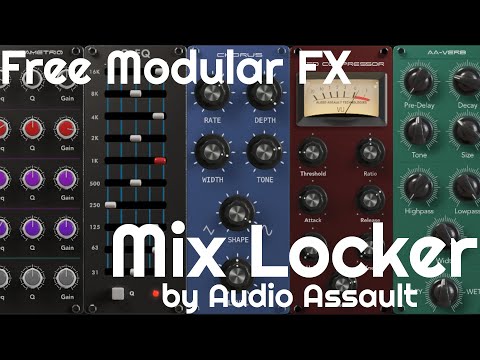


MixLocker-v1.0.2 ( 199 MB )
Let me know in the comments how this sits in your latest project! What’s the first module you’re gonna throw on a track? Let’s talk shop below! 👇

We’re audio producers and sound designers with over 20 years of experience in the industry. Our team has lived through the entire evolution of digital audio production.
Our mission? To filter out the junk and bring you only the studio-ready free VSTs that actually compete with paid gear. We do the digging so you can focus on creating.
