Audacity 2.0.6

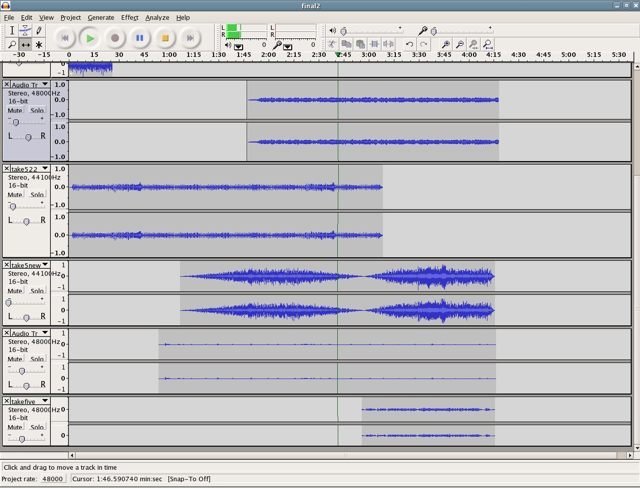
Audacity 2.0.6
size 8.52 MB
Audacity is free, open source software for recording and editing sounds. It is available for Mac OS X, Microsoft Windows, GNU/Linux, and other operating systems.
Record live audio. Convert tapes and records into digital recordings or CDs. Edit Ogg Vorbis, MP3, and WAV sound files. Cut, copy, splice, and mix sounds together. Change the speed or pitch of a recording, noise reduction, vocoder, spectrogram, vocal remover, normalize. And more!
How do I install VST plug-ins?
First, download and unzip the vst-bridge-1.1
Place the unzipped VST Enabler, along with your VST plug-ins, into the “Plug-ins” folder in the Audacity installation folder. (On Mac OS X, this is usually in the Applications folder. On Windows, it is usually under Program, Files.)
The next time you start Audacity, your VST effects will appear at the bottom of the “Effect” menu.
Audacity for windows.
Visit developer site for Mac and Linux version.
https://sourceforge.net/projects/audacity/

audacity-win-2.0.6 ( 8.52 MB )

We’re audio producers and sound designers with over 20 years of experience in the industry. Our team has lived through the entire evolution of digital audio production.
Our mission? To filter out the junk and bring you only the studio-ready free VSTs that actually compete with paid gear. We do the digging so you can focus on creating.
Recent Posts
Borealis Audio Side B – Mastering Mojo
I just stumbled upon this gem today while digging for something to add a little character to my output chain,…
YS Psycho – Psycho-Acoustic FX
Are your mixes sounding a little too two-dimensional? I found a fix. You know the struggle - you want that…
PolarDesigner – Pattern Control Beast
Are your mixes sounding washed out because you picked the wrong mic pattern during the session? We've all been there—you're…
Transient Control – Free Shaper
Yo, what's good producers? Let’s talk about a real struggle we all face in the studio. You spend hours layering…
Setekh – Free Distortion VST
I’ve been digging through the deep corners of the web recently, hunting for something specific to add to my arsenal,…
EQ560 – Classic American Vibe WiN MAC
Yo, what's good creators? Let’s keep it 100 for a second - are your mixes sounding a little thin? Are…
View Comments
Great plugin!