ViatorDSP Radiant Q v1.0 WIN MAC

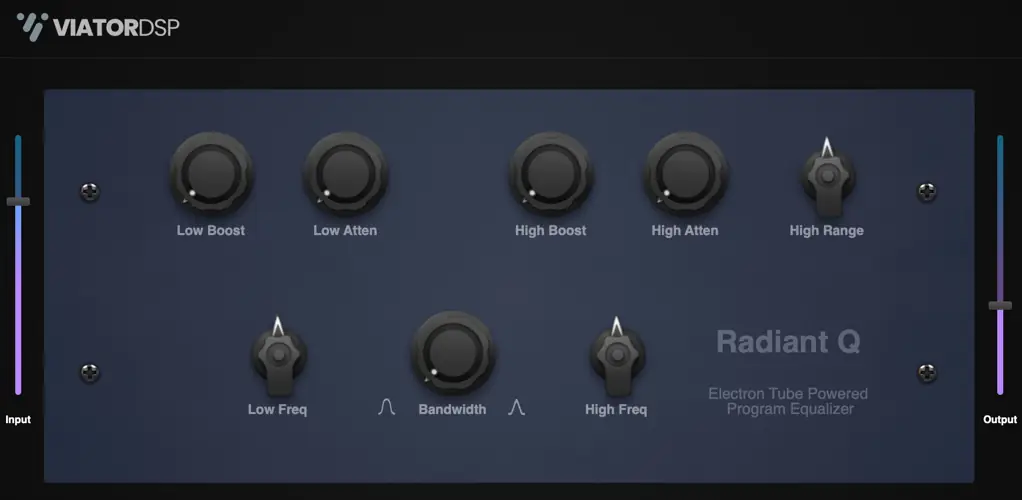
Radiant Q v1.0
100 MB
Introducing Radiant Q – A Tube EQ Plugin for Audio Excellence
Elevate your audio production game with Radiant Q, an exquisite plugin that pays homage to the legendary tube-based equalizers of the bygone era. Immerse your tracks in warmth, character, and vintage charm as you rediscover the magic of classic analog sound.
Radiant Q Key Features:
- Vintage Tube Elegance: Radiant Q encapsulates the unmistakable warmth and richness of vintage tube hardware, offering an authentic analog experience that infuses your audio with soulful character and depth.
- Musical Precision: Craft your audio with finesse using Radiant Q’s finely tuned EQ curves. This plugin brings a gentle, musical touch to your sound shaping, ensuring that your tracks maintain their natural essence while allowing you to sculpt and enhance them with precision.
- Intuitive User Interface: Radiant Q’s user-friendly interface is designed for effortless operation. Its intuitive controls empower both seasoned professionals and newcomers to harness the power of vintage EQ with ease.
- Limitless Creativity: Whether you’re sweetening vocals, adding warmth to instruments, or sculpting your mix, Radiant Q is your creative companion. Its versatility spans across genres, making it an essential tool for any music producer or audio engineer.
- Time-Tested Excellence: Inspired by the classics but offering modern convenience, Radiant Q embodies the best of both worlds. It’s your gateway to the time-tested excellence of vintage tube EQ without compromise.
Unlock the Radiant Q experience and rediscover the art of audio refinement. Transform your music with the timeless allure of tube-based EQ, one shimmering note at a time.
Formats:
- Mac: Universal (Rosetta and Silicon) Audio Unit (component) and VST3 – 64 bit
- Windows: VST3 – 64 bit
Install Instructions:
- Windows: Download the windows zip file from this post, unzip the zip file on your PC, copy/move the resulting .vst3 file to your plugin folder. The default location is here: C:\Program Files\Common Files\VST3
- Mac: Download the mac zip file from this post that is in the format you normally use (component or vst3). Unzip the file and copy/move to the appropriate folder:
- AU (component) /Library/Audio/Plug-Ins/Components
- VST3 /Library/Audio/Plug-Ins/VST3


viator-radiant-q ( 103 MB )

We’re audio producers and sound designers with over 20 years of experience in the industry. Our team has lived through the entire evolution of digital audio production.
Our mission? To filter out the junk and bring you only the studio-ready free VSTs that actually compete with paid gear. We do the digging so you can focus on creating.
Recent Posts
DearVR Mix-SE – Virtual Mix Room
Tired of your mixes sounding fire in your headphones but completely falling apart the second you play them in the…
Waveform Compressor – Visual Comp
Are your mixes sounding lifeless because you're over-compressing blind? I found a fix. We’ve all been there—squashing the life out…
YS Compressor 2025 – Mixing Comp
Are your mixes sounding thin and sterile? I found a fix. You know the struggle - you’re trying to get…
Spl4sh 4 – Free Synth VST
Are your Future House leads sounding a little thin and lifeless? I found a fix. As a producer, one of…
VoxRelief Lite – Vocal Fixer
Tired of muddy, boxy vocals ruining your mix? I found a fix. We’ve all been there in the studio: you…
HLF-3C – Passive EQ Filter
Tired of your instrument busses sounding like a muddy, cluttered mess? I found a fix. There is nothing worse than…