Shameless Plugs – Tilde-Q

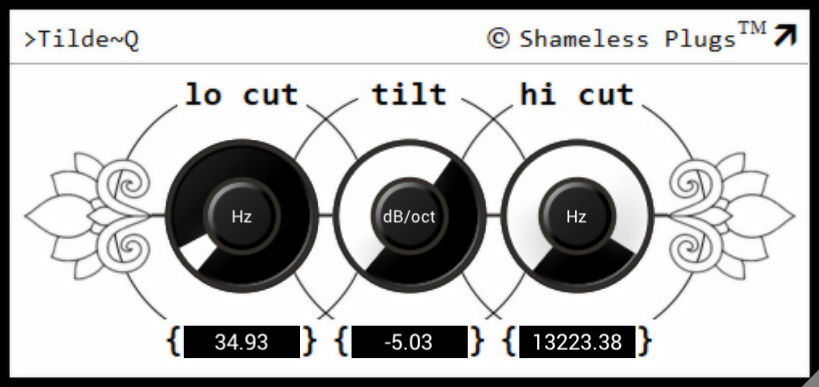
Tilde-Q
size 1 MB
Tilde-Q is a highly accurate Tilt EQ, meant for tone shaping with very broad strokes, rather than surgical corrections.
For sources that are “too thin”, or “muffled”, or “lack clarity”, etc, this is the perfect EQ to use.
However, if you have a very specific frequency that needs taming, such as a ringy snare, or feedback at a specific frequency, then this is obviously not the tool.
Tilde-Q is much, much more accurate than comparable EQs offered by other plugin manufacturers that typically employ one simple shelving filter around a specific “centre” frequency. Tilde-Q offers an EQ curve that is virtually perfectly linear over the complete audio spectrum.
- The main Tilt control, allowing for a slope from -6.0dB/octave to +6.0dB/octave, highly accurate over the entire control range as well as over the entire audible frequency spectrum.
- 24dB/octave low and high cut filters, meant to keep the low and high frequencies in check.
Because the curve is virtually linear over the entire audio spectrum (if we ignore the low and high cut filters for a moment), there is no “centre” frequency, and Tilde~Q therefore offers no control for this.


Tilde_Q ( 1 MB )

We’re audio producers and sound designers with over 20 years of experience in the industry. Our team has lived through the entire evolution of digital audio production.
Our mission? To filter out the junk and bring you only the studio-ready free VSTs that actually compete with paid gear. We do the digging so you can focus on creating.
Recent Posts
Room Service – Plate Reverb
Tired of free reverb plugins turning your lead vocals into a washed-out, muddy mess? We've all been there. You want…
Bit Layer – Multi-Band Crusher
Tired of traditional bitcrushers completely wrecking your punch and turning your low end into pure digital mud? We've all been…
RMSC – Ring Mod Sidechain
Tired of your kick and 808 fighting for low - end real estate? I found a wild fix today. We’ve…
PortaTwin – Cassette Strip
Are your mixes sounding thin and way too sterile? I feel your pain. In modern in-the-box production, clean digital recording…
UnClip – Clip Restorer
Ever had an artist send over an insane vocal take, only to zoom in and see the waveform completely pinned…
Audio Quick Actions – Mac Audio Suite
Tired of firing up a CPU-heavy DAW session just to check a sample's key or see if your two-track bounce…