Bangkok Ping Pong VST v1.0 WiN MAC

Bangkok Ping Pong VST v1.0 WiN MAC
9 MB
BANGKOK PING PONG VST
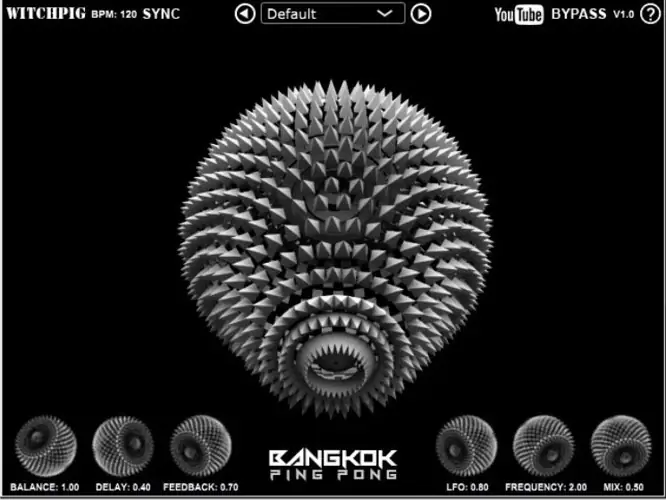
Set the initial delay direction by using Balance. Set to 0.5 to centre the delays so there is no ‘ping pong’ between the Left and Right. Use Delay to either set the length of the repeats in seconds, or click on ‘Sync’ to set the time in fractions related the BPM of the DAW. LFO will set the width of the filter applied to the repeats, and Frequency sets how quickly the filter moves backwards and forwards.
http://witchpig.co.uk/plugins.html#bangkok


Bangkok_Ping_Pong ( 9 MB )

We’re audio producers and sound designers with over 20 years of experience in the industry. Our team has lived through the entire evolution of digital audio production.
Our mission? To filter out the junk and bring you only the studio-ready free VSTs that actually compete with paid gear. We do the digging so you can focus on creating.
Recent Posts
HLF-3C – Passive EQ Filter
Tired of your instrument busses sounding like a muddy, cluttered mess? I found a fix. There is nothing worse than…
GMXR2 – Audio Generator
Tired of spending hours digging through bloated sample packs just to find a simple riser, laser, or transition FX? I…
Supreme Drums One Synth – Drum VST
Are your drum busses sounding thin and lifeless, or taking way too long to dial in? I found a fix.…
AliasSynth – Glitch Synth
I’ve been digging through the web and found something truly special for your arsenal today. Let’s keep it real for…
Yabridge – Windows VST Bridge
Tired of leaving your favorite heavy-hitting Windows plugins behind just because you're cooking up beats on a Linux machine? I…
YS Phantasm – Analogue Enhancer
Are your mixes sounding a little too sterile and digital? I found a fix. We all know the real studio…